

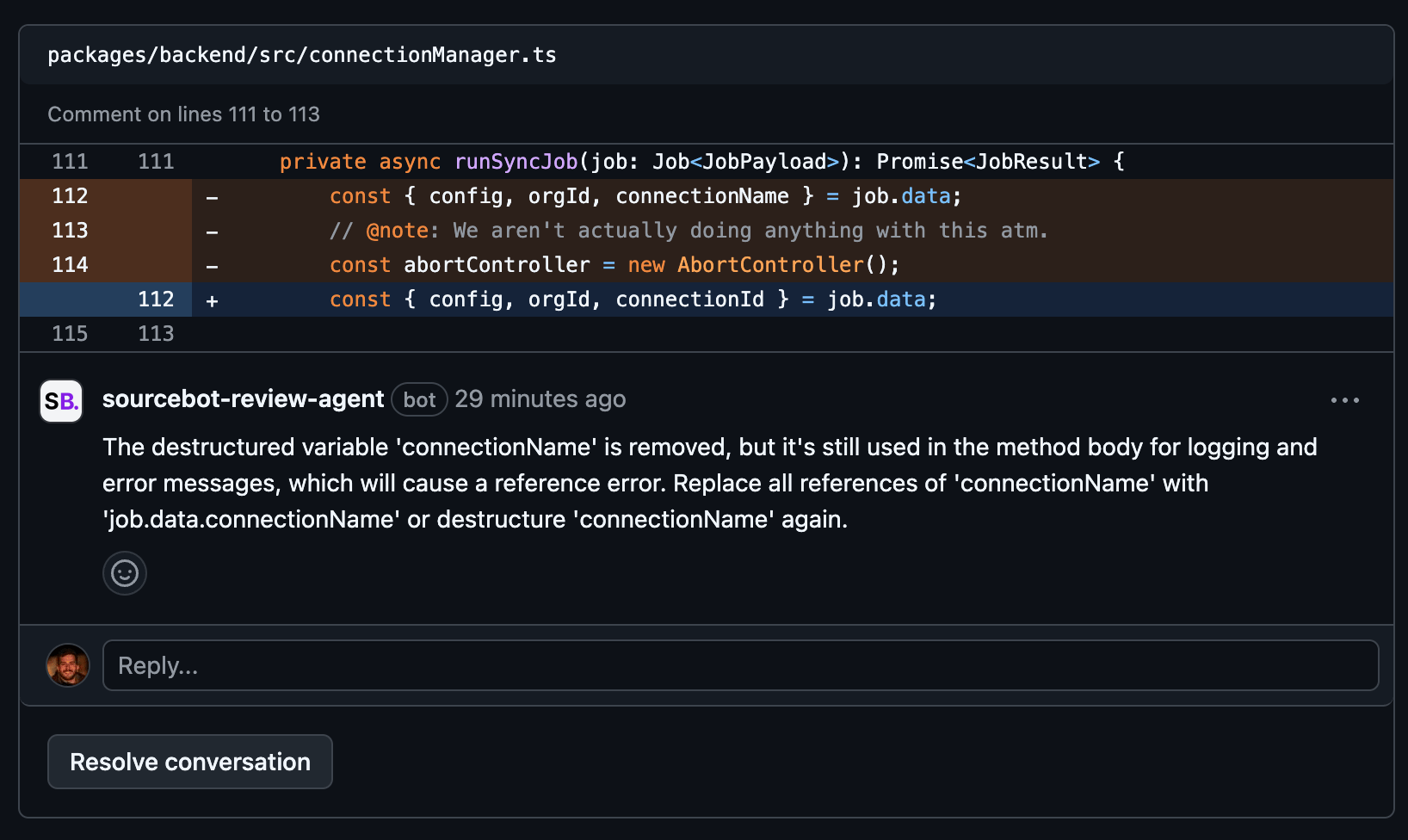
Language model
The review agent uses whichever language model you have configured in yourconfig.json. All providers supported by Sourcebot (OpenAI, Anthropic, AWS Bedrock, Azure OpenAI, and others) work out of the box.
If you have multiple models configured, set REVIEW_AGENT_MODEL to the displayName of the model you want the agent to use. If this variable is unset, the agent uses the first configured model.
GitHub
1
Register a GitHub app
Follow the official GitHub guide for registering a GitHub app.
- GitHub App name: Any name you choose (e.g. Sourcebot Review Agent)
- Homepage URL: Any URL you choose (e.g.
https://www.sourcebot.dev/) - Webhook URL (required): Your Sourcebot deployment URL at
/api/webhook(e.g.https://sourcebot.example.com/api/webhook). Your deployment must be reachable from GitHub. If you are running Sourcebot locally, use smee to forward webhooks to your local deployment. - Webhook Secret: Any string (e.g. generate one with
python -c "import secrets; print(secrets.token_hex(10))") - Permissions
- Pull requests: Read & Write
- Issues: Read & Write
- Contents: Read
- Events
- Pull request
- Issue comment
2
Install the GitHub app in your organization
Navigate to your new GitHub app’s page and press Install.
3
Configure environment variables
Set the following environment variables in your Sourcebot deployment:
You can generate a private key in your app settings.
docker-compose.yml:4
Verify configuration
Navigate to Agents in the Sourcebot nav menu. If your environment variables are set correctly, the GitHub Review Agent card shows a confirmation that the agent is configured and accepting requests.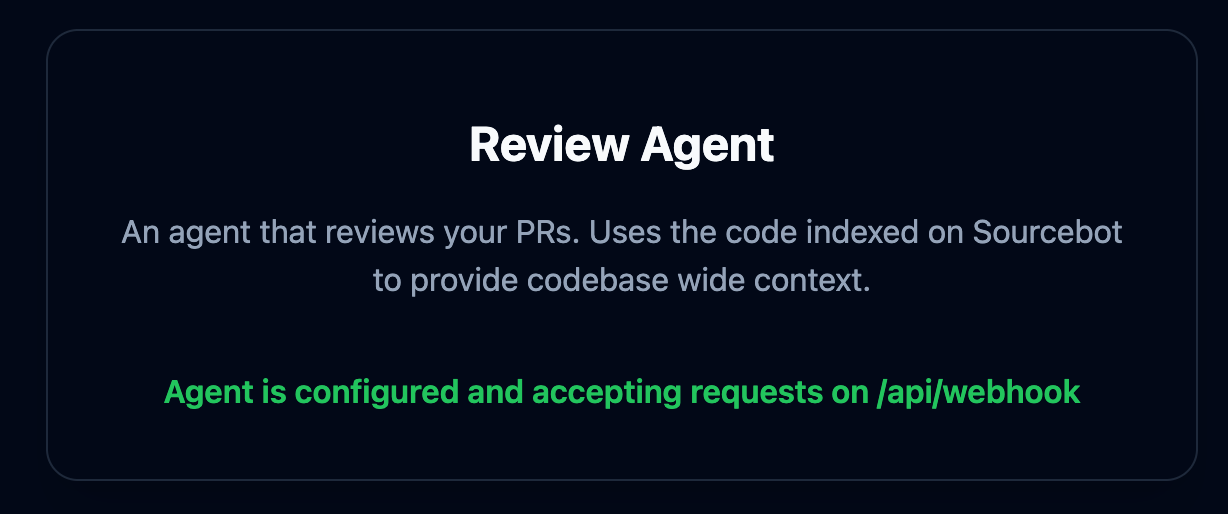
GitLab
1
Create a GitLab access token
Create a personal access token or project access token with the following scope:
api
2
Configure a webhook in GitLab
In your GitLab project, go to Settings → Webhooks and add a new webhook:
- URL: Your Sourcebot deployment URL at
/api/webhook(e.g.https://sourcebot.example.com/api/webhook) - Secret token: Any string (e.g. generate one with
python -c "import secrets; print(secrets.token_hex(10))") - Trigger events: Merge request events, Comments
3
Configure environment variables
Set the following environment variables in your Sourcebot deployment:
Example
docker-compose.yml:4
Verify configuration
Navigate to Agents in the Sourcebot nav menu. If your environment variables are set correctly, the GitLab Review Agent card shows a confirmation that the agent is configured and accepting requests.
Using the agent
By default, the agent does not review PRs and MRs automatically. To enable automatic reviews on every new or updated PR/MR, setREVIEW_AGENT_AUTO_REVIEW_ENABLED to true.
You can also trigger a review manually by commenting /review on any PR or MR. To use a different command, set REVIEW_AGENT_REVIEW_COMMAND to your preferred value (without the leading slash).